
All apps

IronPulse

A workout logger that keeps the numbers straight.

A dark-themed workout logger for strength training and calisthenics, built for the gym: offline by default, no account, no tracking, and a 1,333-movement catalogue whose animations stream on demand instead of being shipped inside the APK.

Platform
Android 7.1+ (API 24)
Release
v4.4.0
Licence
CC BY-NC-SA 4.0
Size
≈ 20 MB APK
The IronPulse home dashboard on a phone, showing today’s workout, the weekly plan, the last seven days as a heat map and the week’s training numbers.

Why it exists

Most workout apps want your account, your subscription and your training history.

IronPulse was written for the opposite of that. There is nothing to sign up for, nothing to subscribe to and no screen that needs a connection. Every set you log, every routine you build and every weigh-in you record lives in a database on your own phone, and you can wipe all of it in one tap when you want to.

  • People who lift

    Quick workouts for the days you are not following a plan, and routines for the days you are.

  • Calisthenics and bodyweight athletes

    Bodyweight and cardio sets have their own fields and their own definitions of volume.

  • People who keep the record

    Estimated one-rep max, a twelve-month heat map and a weigh-in timeline, computed on the device.

What it does

The parts that actually matter.

Every screen below is the released application. The numbers, the tools and the behaviour described are the ones you will find in the build.

01 — Home

The screen that answers “what am I doing today?”

IronPulse opens on Home, and Home is built around the questions you actually have when you open a workout logger: what day it is, what the routine assigns to today, whether you can start right now, what you trained last, when you last weighed in and how the week is going.

  • Today’s workout, with a Start button that opens the real session
  • Your week — all seven days, with rest days marked
  • The last 7 days as a heat map, switchable between volume and duration
  • Training days counted for life — a week off costs you nothing
  • This week in three numbers: workouts, time and volume
  • Body weight, its change since the last weigh-in, and a Log Weight button
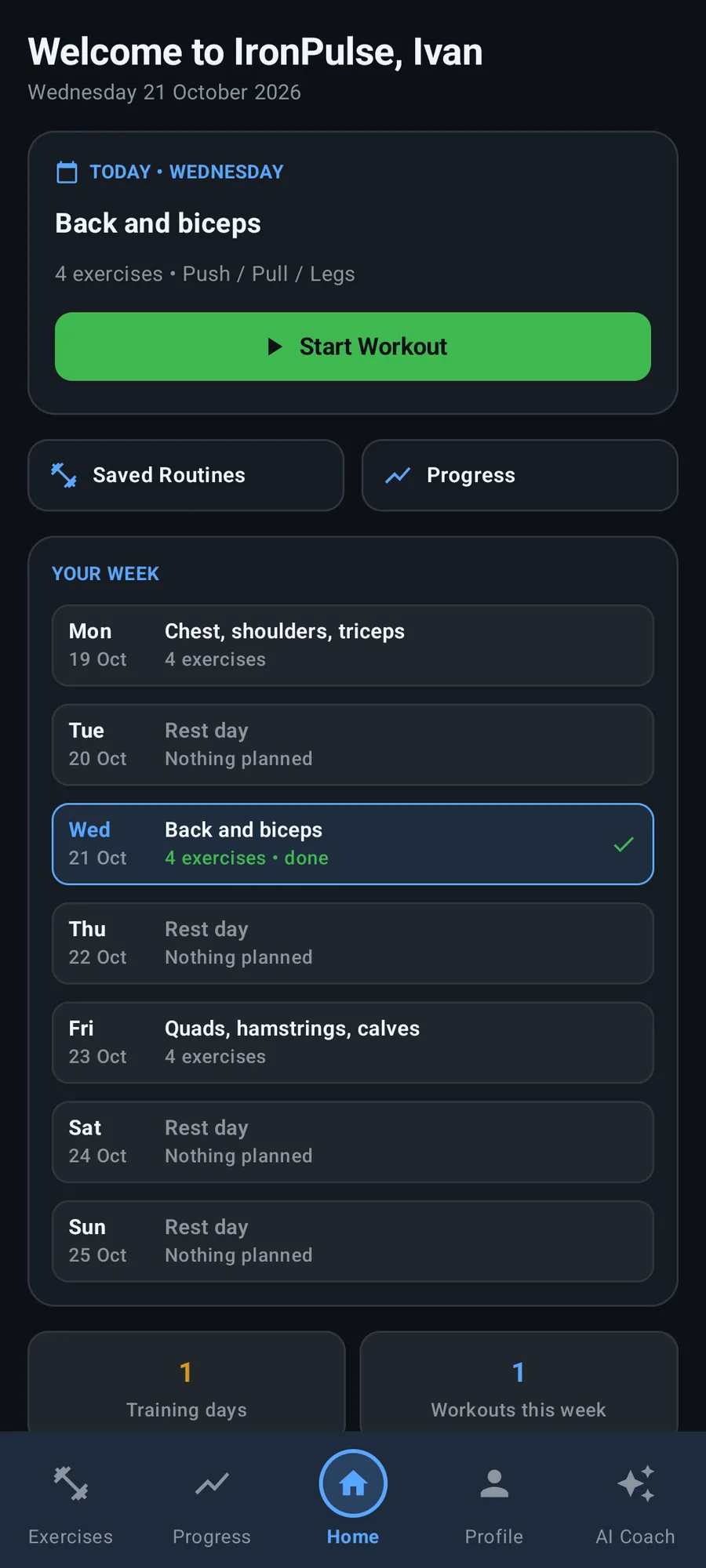
IronPulse home dashboard showing today’s workout, the weekly plan, the last seven days heat map, training statistics and body weight.

02 — Routines

A routine is a week, not a list of exercises

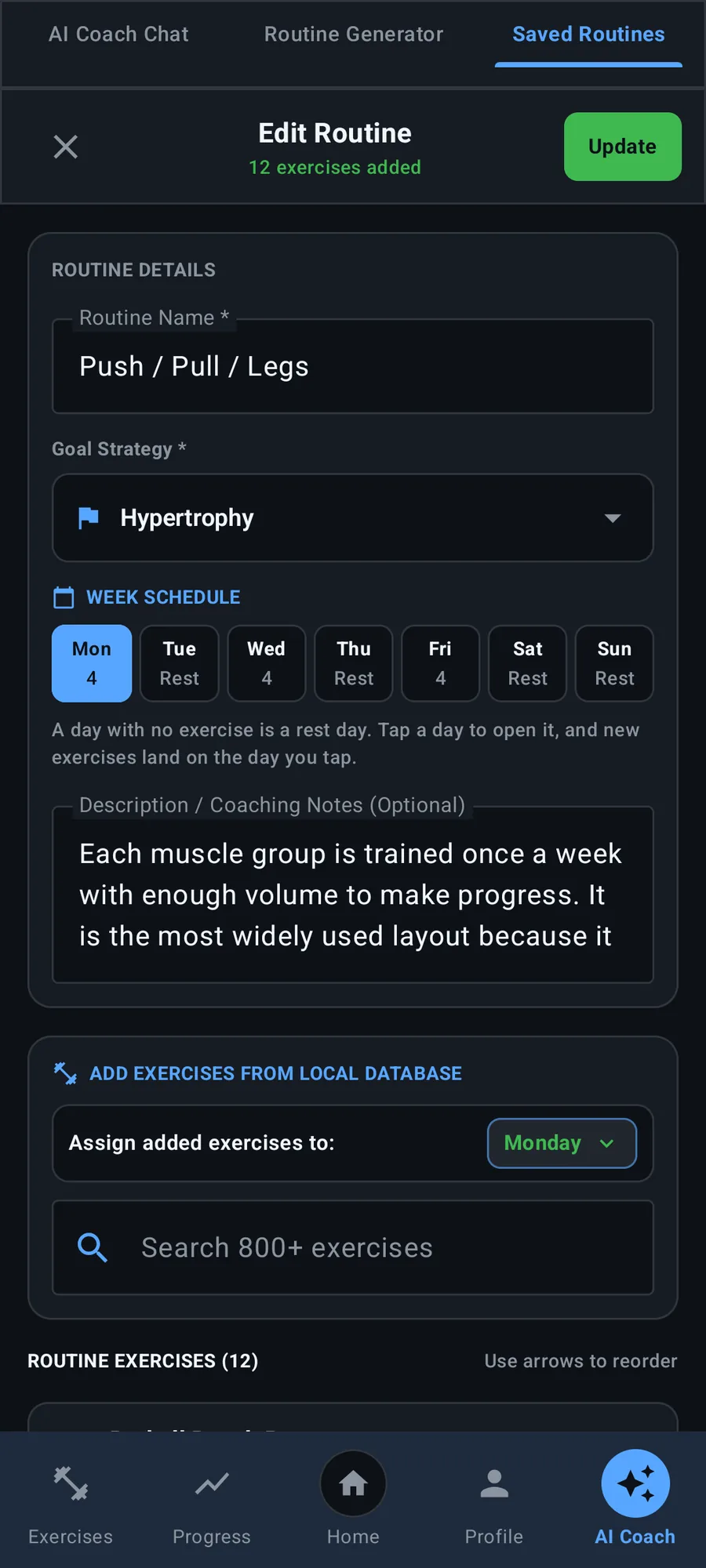
In IronPulse a routine is seven day slots, one per weekday. A day with nothing in it is a rest day — there is no separate rest flag that can drift out of step with the exercises. The week can start on Monday or on Sunday, and it decides where a workout with no day of its own is laid out.

  • A week planner with all seven weekdays and their exercise counts
  • New exercises land on whichever day is open
  • Any saved workout can still be started on any day
  • A default added weight per exercise, set from the routine editor
The IronPulse routine editor showing the week schedule with each weekday and its exercise count.

03 — Exercise library

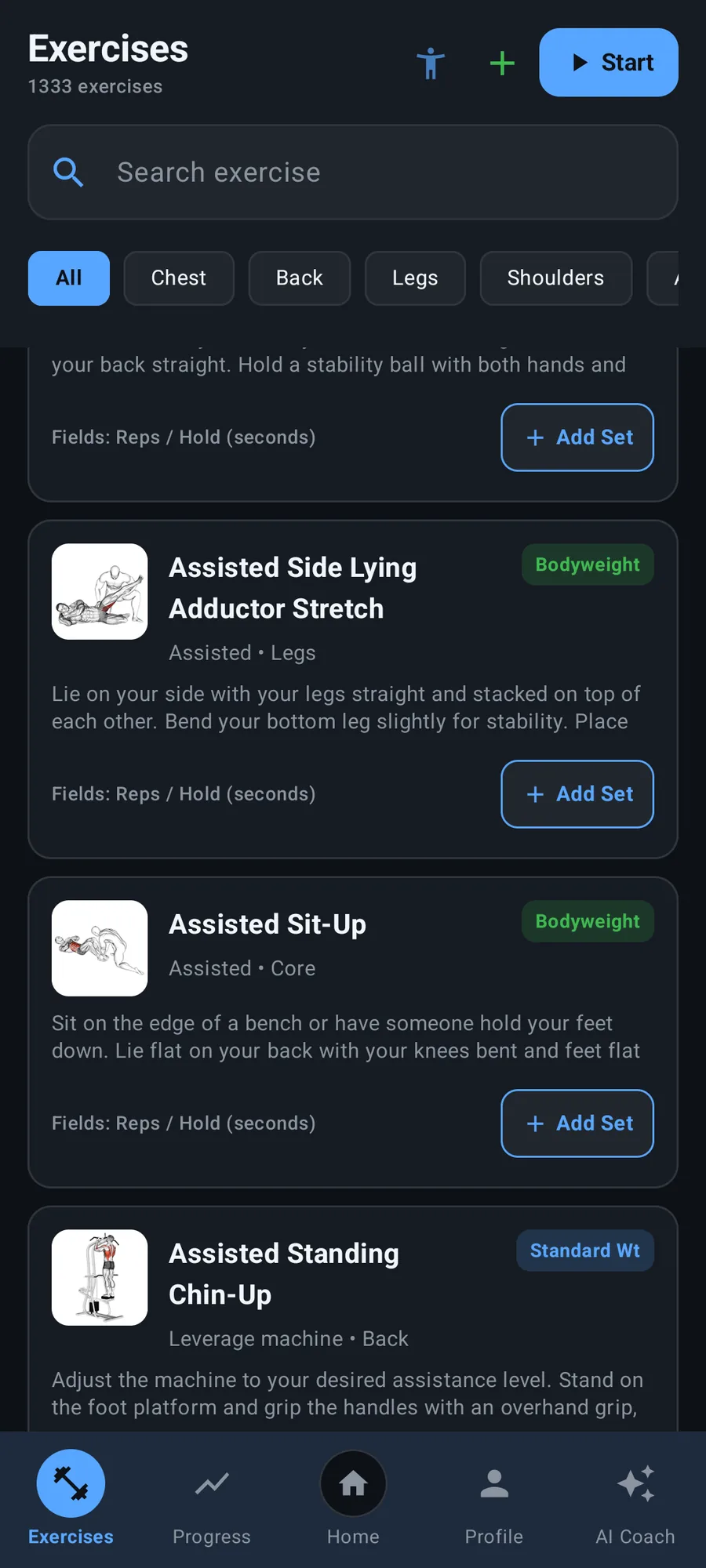
1,333 movements, filtered the way you actually think

Every exercise carries its equipment, muscle group, body part, target muscles and coaching instructions. The list is sorted into muscle groups, equipment and movement type, so searching by body part finds what you actually did.

  • Animation for nearly every exercise
  • Animations stream and cache on demand — an exercise you never open costs nothing
  • Search by name, muscle group, equipment or body part
  • Full instructions and target muscles on every entry
The IronPulse exercise library with 1,333 exercises, body-part filters and per-exercise thumbnails.

04 — Logging

Logging that survives the session you interrupted

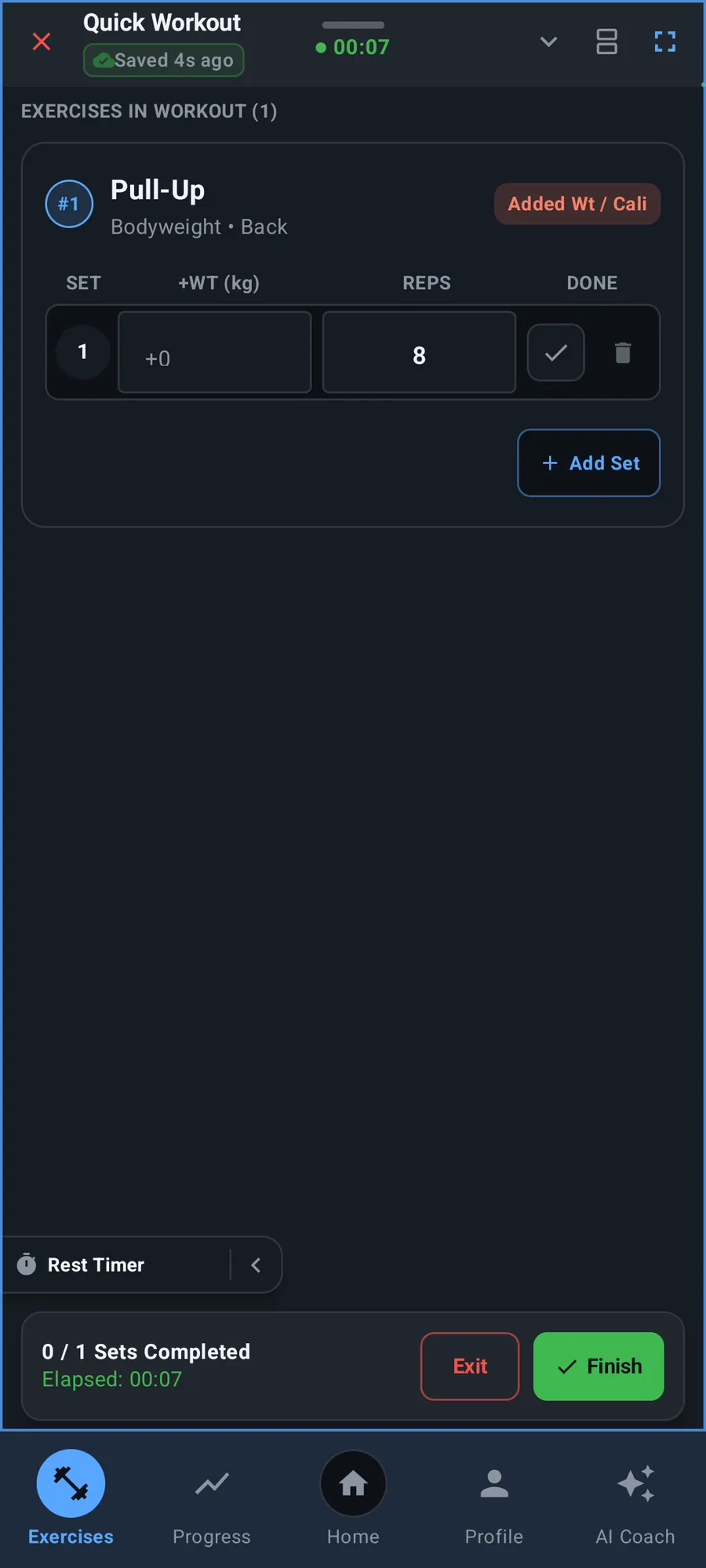
Start a quick workout or follow a saved routine. Every set type is a first-class citizen: standard weight, added weight, pure bodyweight and cardio each have their own fields, their own column headers and their own Progress-tab description. Cardio logs minutes and distance and never asks for a barbell weight.

  • Rest timer with vibration and sound, or tucked into the border
  • Automatic set numbering as you log
  • The session is written to disk every few seconds — if the app dies, the next launch offers the workout back with every set and the elapsed time intact
  • Tap the title to name the workout so it is easy to find in the history
An IronPulse quick workout in progress with the exercise set table and the rest timer.

05 — Progress

One definition of volume, so two screens never disagree

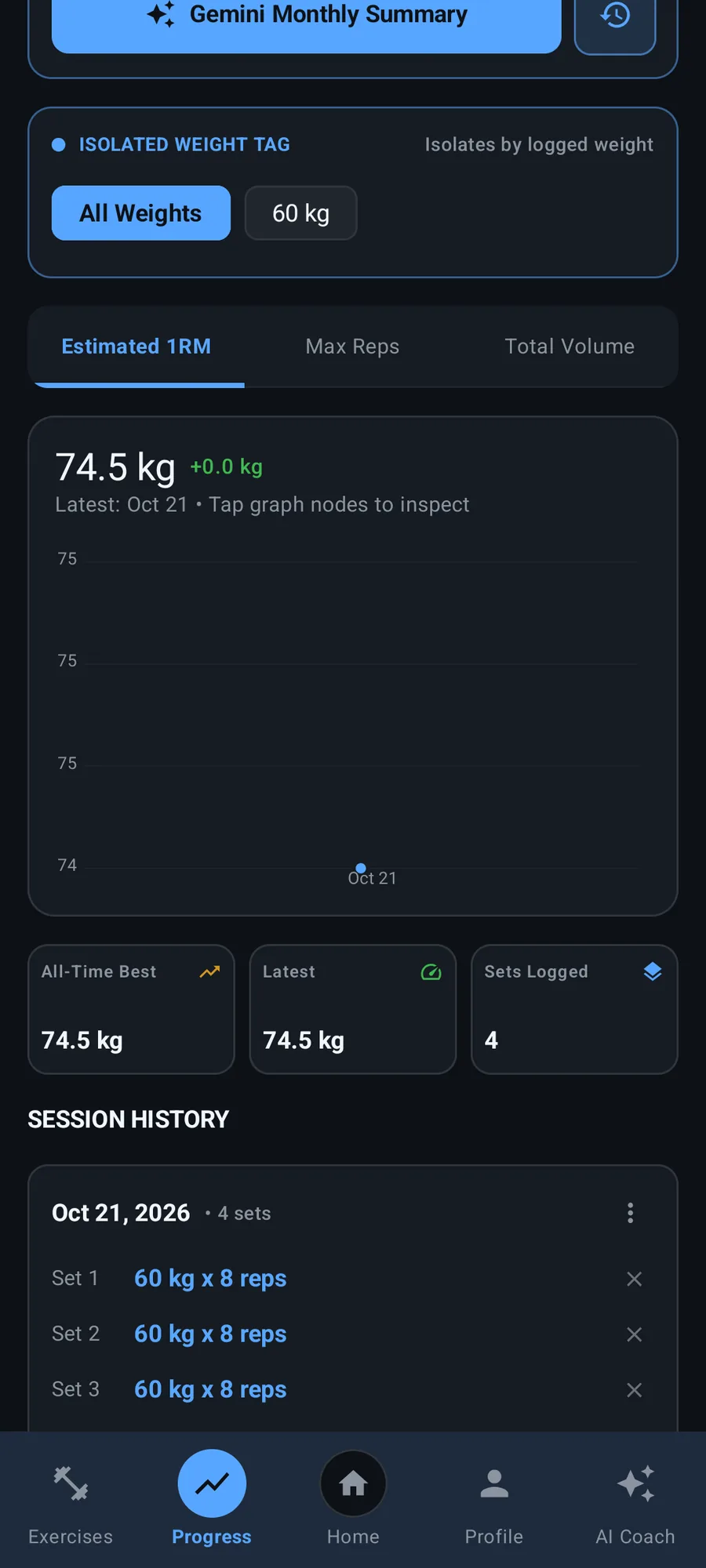
Volume, estimated one-rep max, max reps, training days and a 12-month activity heat map. Per-exercise analysis comes with an interactive graph you can tap to inspect any point, and weigh-ins are plotted over time and feed every body-weight calculation in the app.

  • Interactive per-exercise graphs you can tap to inspect any point
  • Units follow your preference everywhere; the stored unit never changes and no history is rewritten when you switch
  • A set keeps the body weight it was done at — weighing in today does not rewrite last month’s pull-ups
IronPulse progress analytics showing volume, estimated one-rep max, training days and an activity heat map.

06 — Your own exercises

Your variation, not somebody else’s

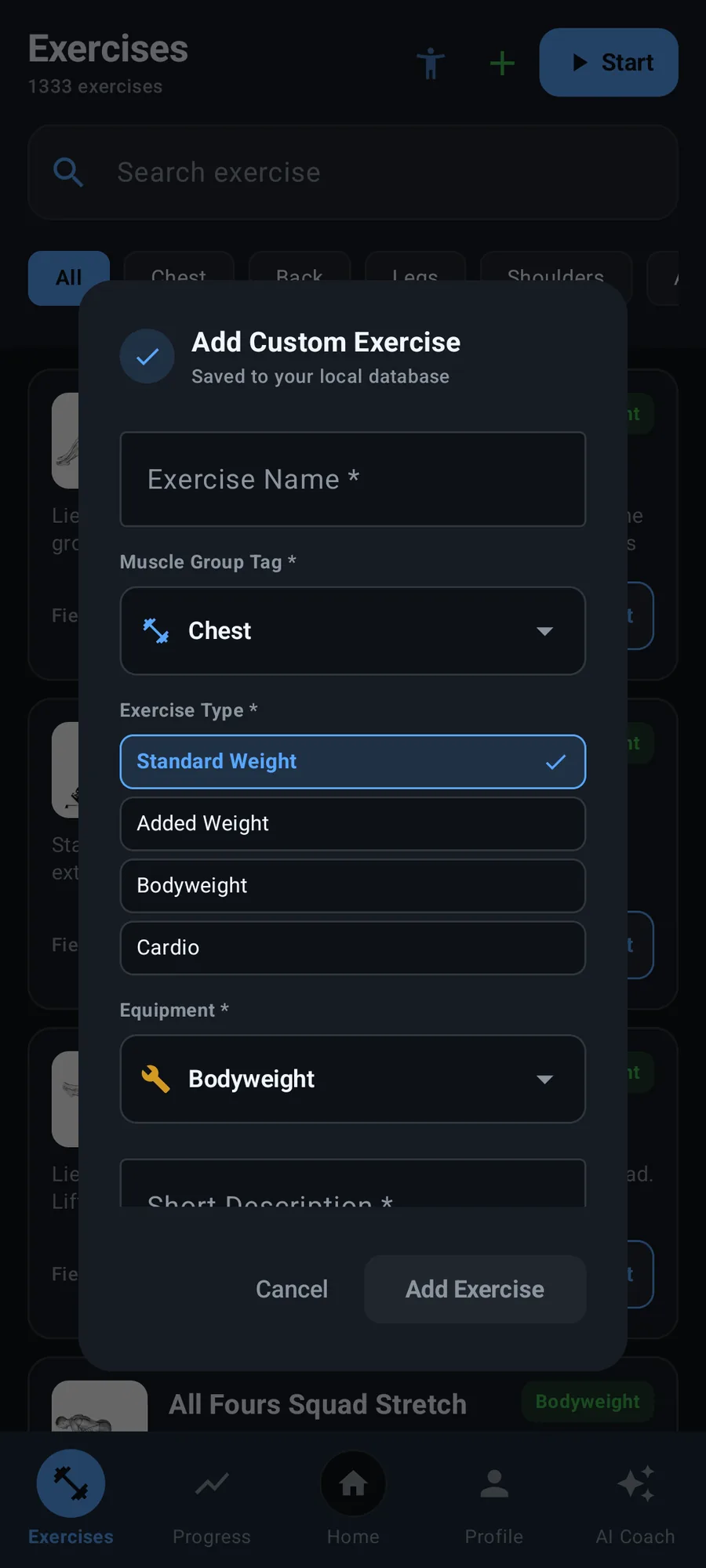
Attach a photo or video of your own exercise to replace the built-in animation, so you see your movement rather than a generic one. The pick is copied into the app’s own storage, so it keeps working after a restart rather than expiring with the gallery’s permission.

  • Photo or video replaces the built-in animation
  • The file is copied into app storage, so it survives the gallery
  • Saving says so: a tick draws itself and the editor stays open until you close it
  • Exercises the AI created are always labelled AI generated
IronPulse creating a custom exercise with the media picker for a photo or video of the movement.

07 — AI coach (optional)

A coach that only speaks when you let it

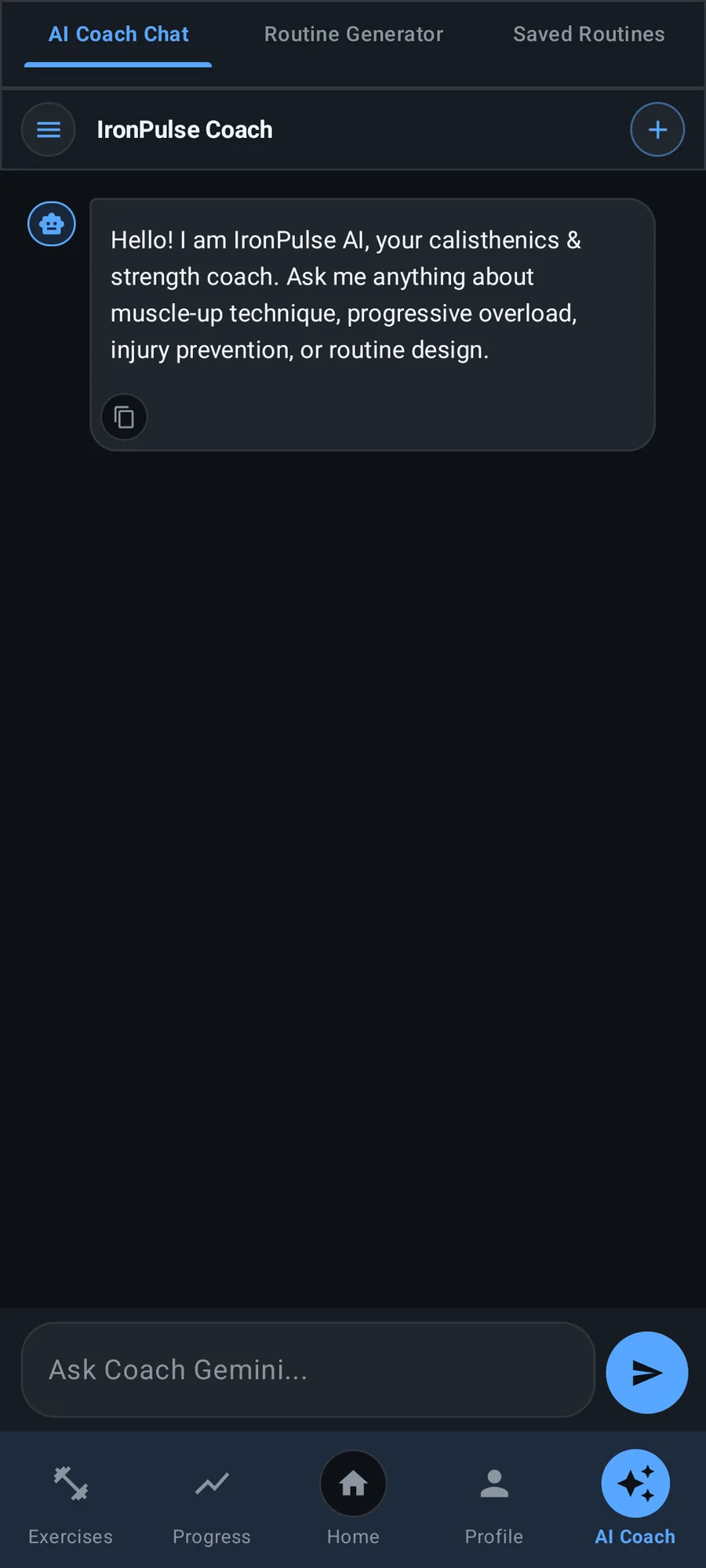
IronPulse is fully usable without Gemini. Add your own key in Settings and you get a coach chat that answers questions about the session you just logged, a routine generator that plans a week, and automatic creation of missing movements with their target muscles and coaching cues. The app applies the scheduling rules itself, so the plan is the same whatever the model returns.

  • Paste any workout in any format and get a structured routine back
  • Describe a goal and get a plan built from movements the app actually has
  • A coach chat about the session you just logged
  • Data sharing is off by default — nothing is sent until you turn it on, and the setting says plainly what is and is not sent
The IronPulse AI coach chat screen.

08 — Profile

The body-weight timeline and the numbers that matter

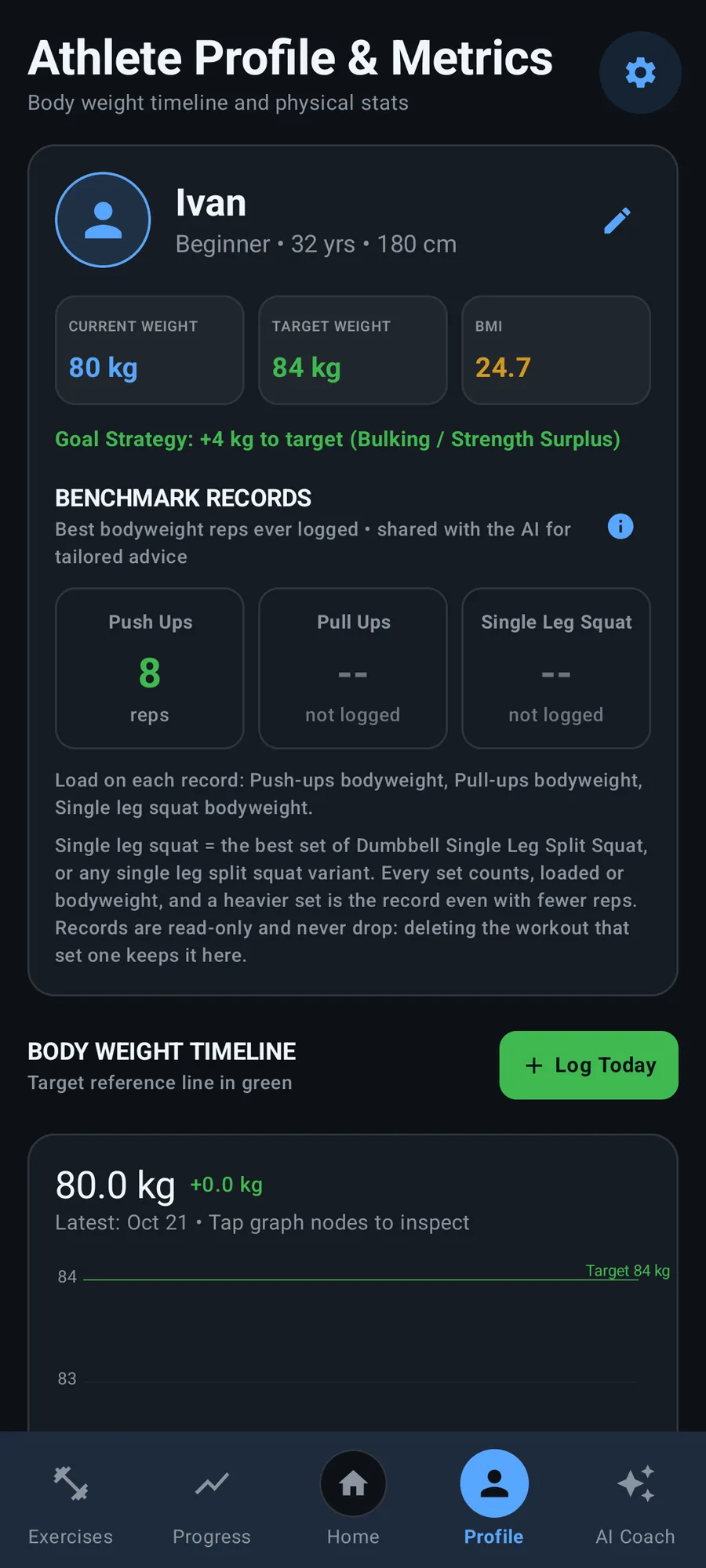
A body-weight timeline with a target reference line, BMI, a goal strategy, and three read-only benchmark records — push-ups, pull-ups and a single-leg squat — each with the load it was done at. Those records are handed to the AI, so a progression is based on what you actually lifted.

  • Body-weight timeline with a target reference line
  • BMI and goal strategy
  • Benchmark records for push-ups, pull-ups and single-leg squat
  • Profile picture copied into app storage, so deleting it from the gallery is harmless
IronPulse profile and metrics with the body-weight timeline and benchmark records.

How it is used

A short path from open to done.

  1. 01

    Set up your week

    Pick a routine from the three that ship with the app, or build one: every weekday gets its own slot, and a day you leave empty is a rest day.

  2. 02

    Start and log

    Open the workout from Home, add the exercises you are doing, and tick the sets off as you go. The rest timer and set numbering are handled for you.

  3. 03

    Keep the record

    The session is written to disk as you work, so an accidental close never costs you the set. Name it, finish it, and it lands in your history.

  4. 04

    Read the trend

    Volume, estimated one-rep max and the heat map show whether the last month actually moved. Weigh in when you want the body-weight line to follow.

At a glance

The details, up front.

Platform
Android 7.1+ (API 24)
Latest release
v4.4.0
Package size
≈ 20 MB
Licence
CC BY-NC-SA 4.0
Architecture
MVVM · Compose → ViewModel → Repository → Room
Database
Room / SQLite, schema v9
Network
None unless you enable the AI coach

Built with

  • Kotlin
  • Jetpack Compose
  • Material 3
  • Room / SQLite
  • DataStore
  • Coil
  • Media3

Privacy & offline

What leaves your device.

Nothing here is a marketing promise — it is what the application is built to do.

  • No account, no tracking, no analytics.
  • Every workout, weigh-in and routine lives in a SQLite database on your device.
  • AI features are optional and need your own Gemini key.
  • Athlete data sharing is off until you explicitly enable it.
  • “Erase all app data” in Settings wipes everything on the device.
Read the source and the licence

Get IronPulse

Try it on your own device.

The latest build is published on GitHub Releases with a checksum file next to it. The source is public, and the whole thing is free of accounts, adverts and trackers.