

All apps

Discount Hunter

Every game discount from Steam, GOG and Epic in one feed.

A native Android app that pulls live discounts from the Steam Store, GOG and the Epic Games Store, merges them into a single daily feed, and lets you save games so you hear about them when the price drops.

Platform
Android 7.0+ (API 24), portrait
Release
v1.1.2
Licence
Apache 2.0
Size
≈ 3 MB APK
The Discount Hunter deals feed showing live discounts from Steam, GOG and the Epic Games Store.

Why it exists

A game on sale means checking three storefronts, three times a month.

Discount Hunter does the checking. It reads the live discount feeds of Steam, GOG and the Epic Games Store, merges them into one list, and tells you when a game you saved goes on sale — or becomes free to keep — even when the app is closed. Prices are quoted in the currency the store actually used, and converted prices are marked so they are never mistaken for quoted ones.

  • People with a backlog

    One list of everything on sale across all three stores, sorted by discount or by price.

  • People waiting for a price drop

    Save a game and get told when it drops, with the new price and the discount.

  • People who hate a cluttered shelf

    No account, no tracking, no adverts — and no notification unless something actually changed.

What it does

The parts that actually matter.

Every screen below is the released application. The numbers, the tools and the behaviour described are the ones you will find in the build.

01 — The feed

Every discount across three stores, in one list

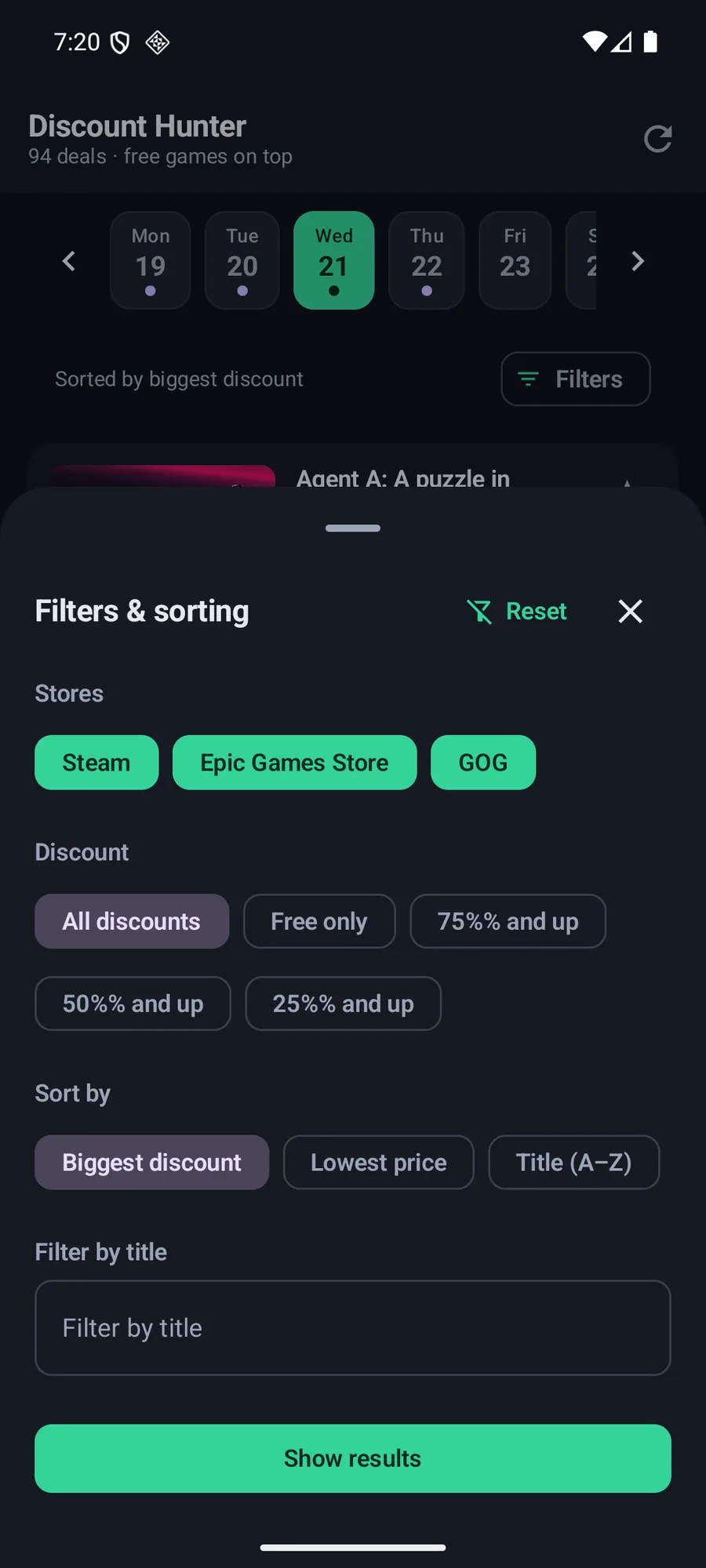
The daily feed merges every discount from Steam, GOG and the Epic Games Store into a single list, sorted and filterable, with a seven-day strip along the top for browsing past and upcoming days. Free games rise to the top.

  • One feed across Steam, GOG and the Epic Games Store
  • Filter by store, by discount depth and by title
  • Sort by biggest discount, lowest price or title
  • A seven-day strip for browsing past and upcoming days
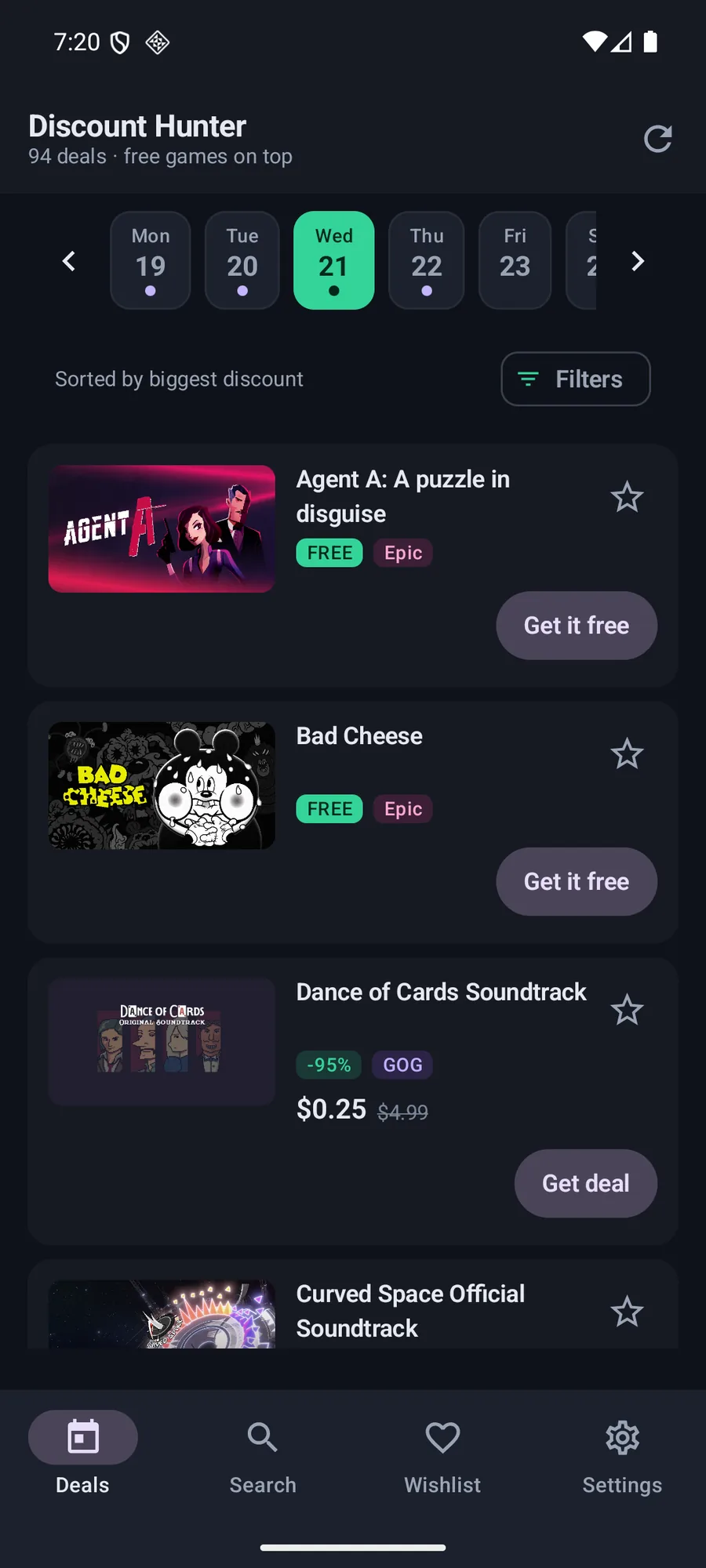
The Discount Hunter deals feed showing 94 live discounts from Steam, GOG and the Epic Games Store.

03 — Game pages

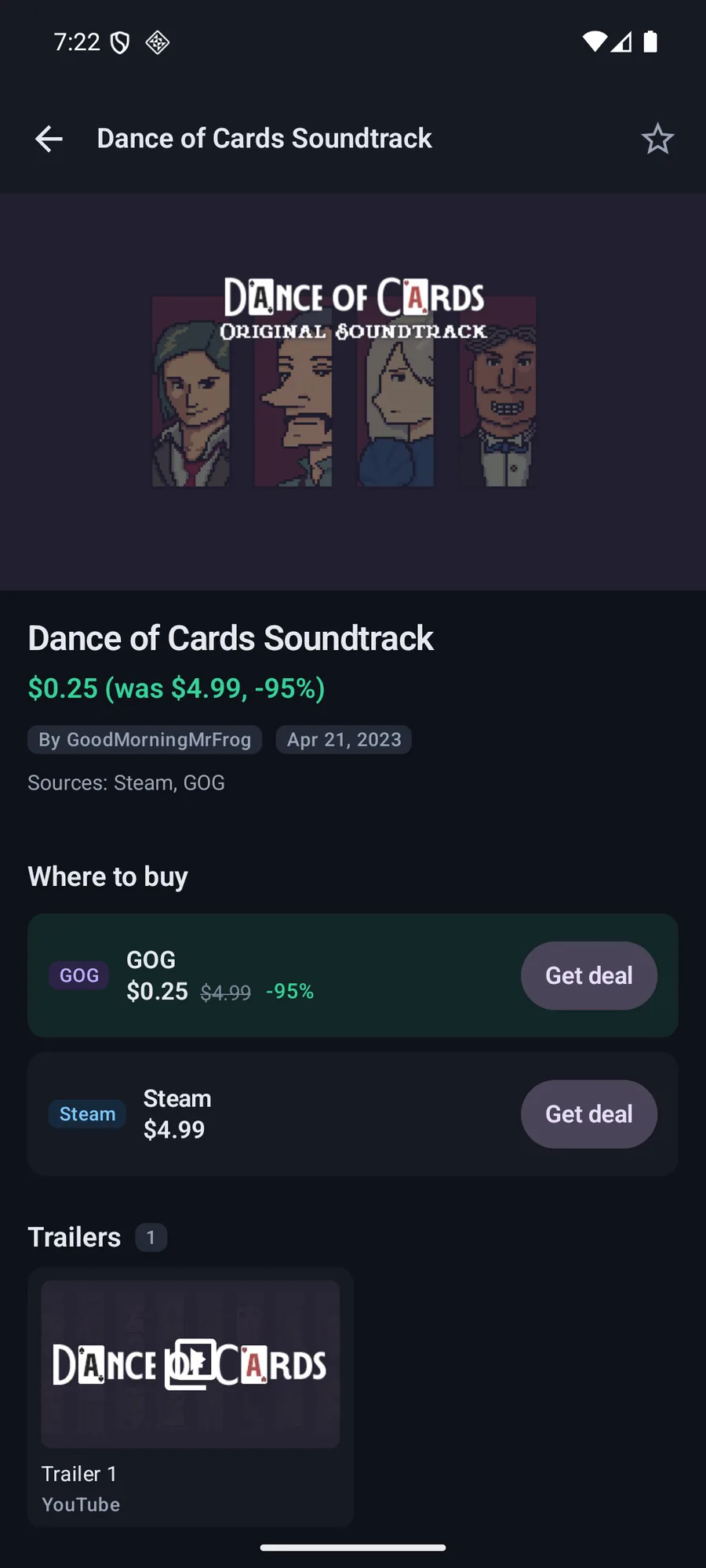
Every game page ends with “Where to buy”

Each detail page carries the hero art, screenshots, trailers, system requirements and genres, and finishes with a comparison of every store that has the game, quoting each price in that store’s own currency. A price history chart records what this device has seen.

  • Hero art, screenshots and trailers
  • System requirements and genres
  • A “Where to buy” comparison across every store that has the game
  • A price history chart of what this device recorded, with deep links to external databases
A Discount Hunter game detail page comparing the GOG and Steam prices for the same game.

04 — Wishlist & alerts

Saved games, and a notification with the app closed

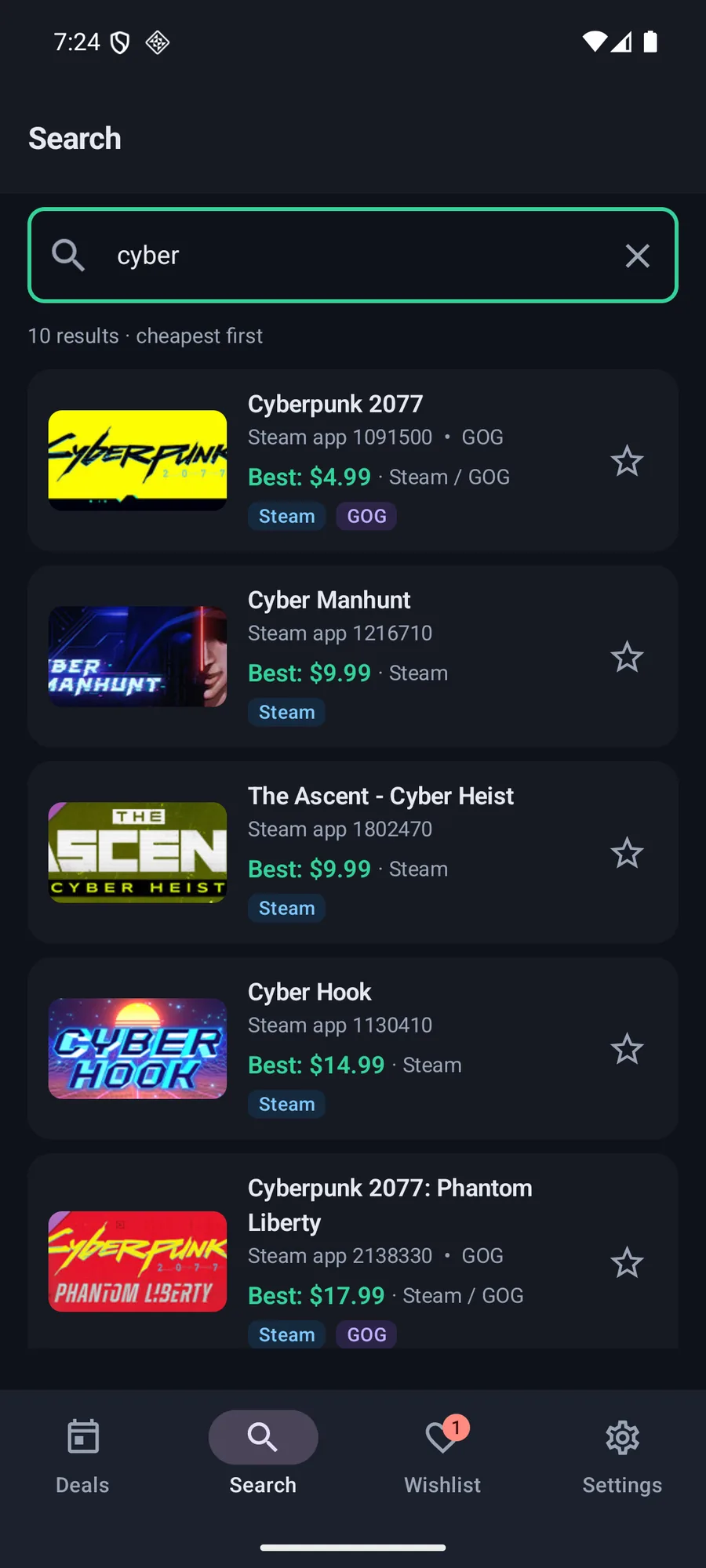
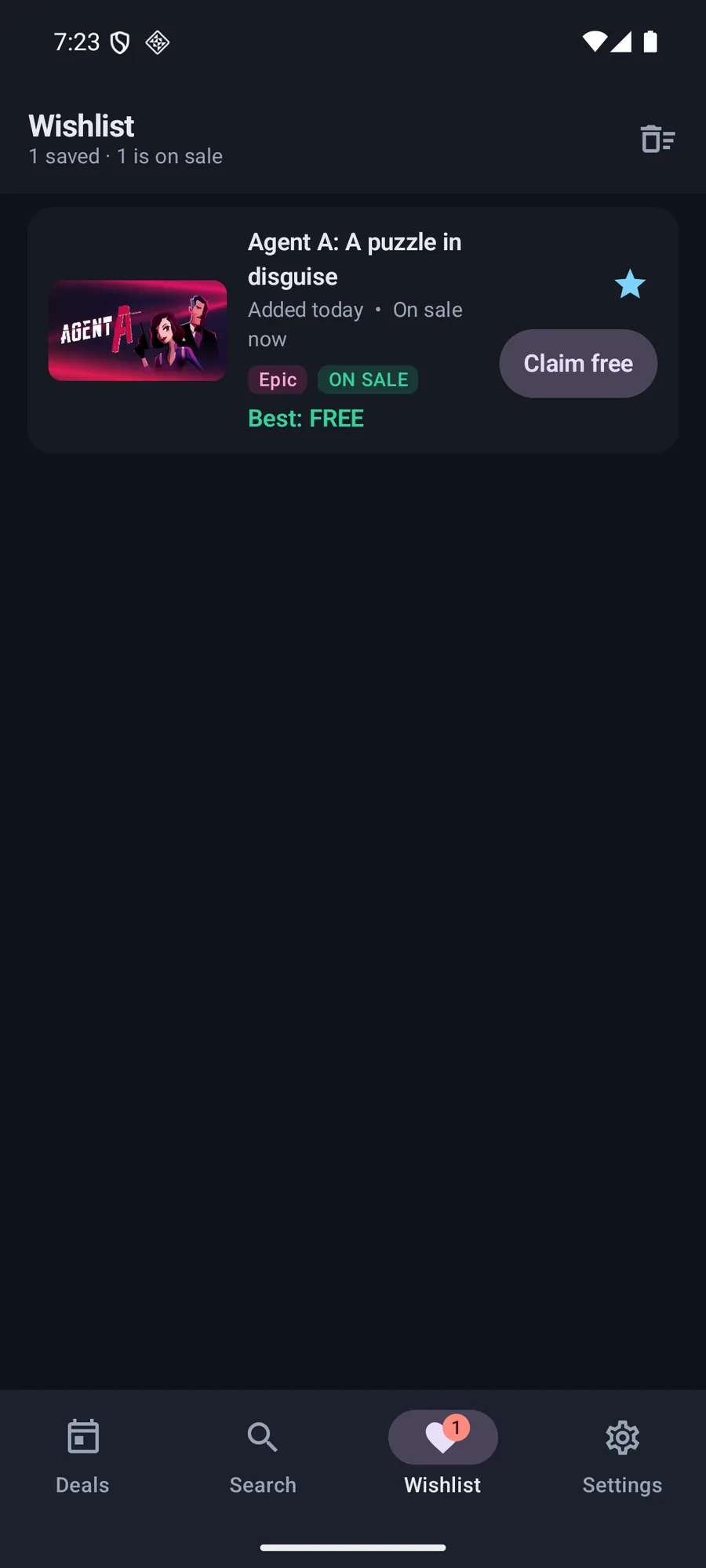
Save any game from the feed, a search result or a detail page. Saved games rise to the top everywhere they appear. When a saved game goes on sale — or becomes free to keep — the app notifies you with the name, the new price and the discount, checked in the background with the app closed.

  • Save a game from the feed, a search result or a detail page
  • Saved games rise to the top wherever they appear
  • Deal alerts for a sale and for a free-to-keep game
  • Checked in the background, including when the app is closed
  • Only changes are announced — a game that is still discounted tomorrow is not announced again
The Discount Hunter wishlist with saved games.

05 — Honest prices

Prices are converted, not relabelled

Steam and Epic re-quote prices per region; GOG publishes in dollars regardless. Discount Hunter converts using the ECB’s daily reference rates and marks the result with a “~” so a converted price is never mistaken for a quoted one. Games are identified by their store id wherever one exists, and titles are never used as cache keys.

  • Prices quoted in the currency the store actually used
  • Converted prices marked with ~ so they are never confused with quoted ones
  • Store-native ids, never titles, for identity and caching
  • A game’s media is only shown when the store confirmed the id
The Discount Hunter filters sheet with store, discount and sorting options.

06 — Settings

Private by design, and honest about what it does

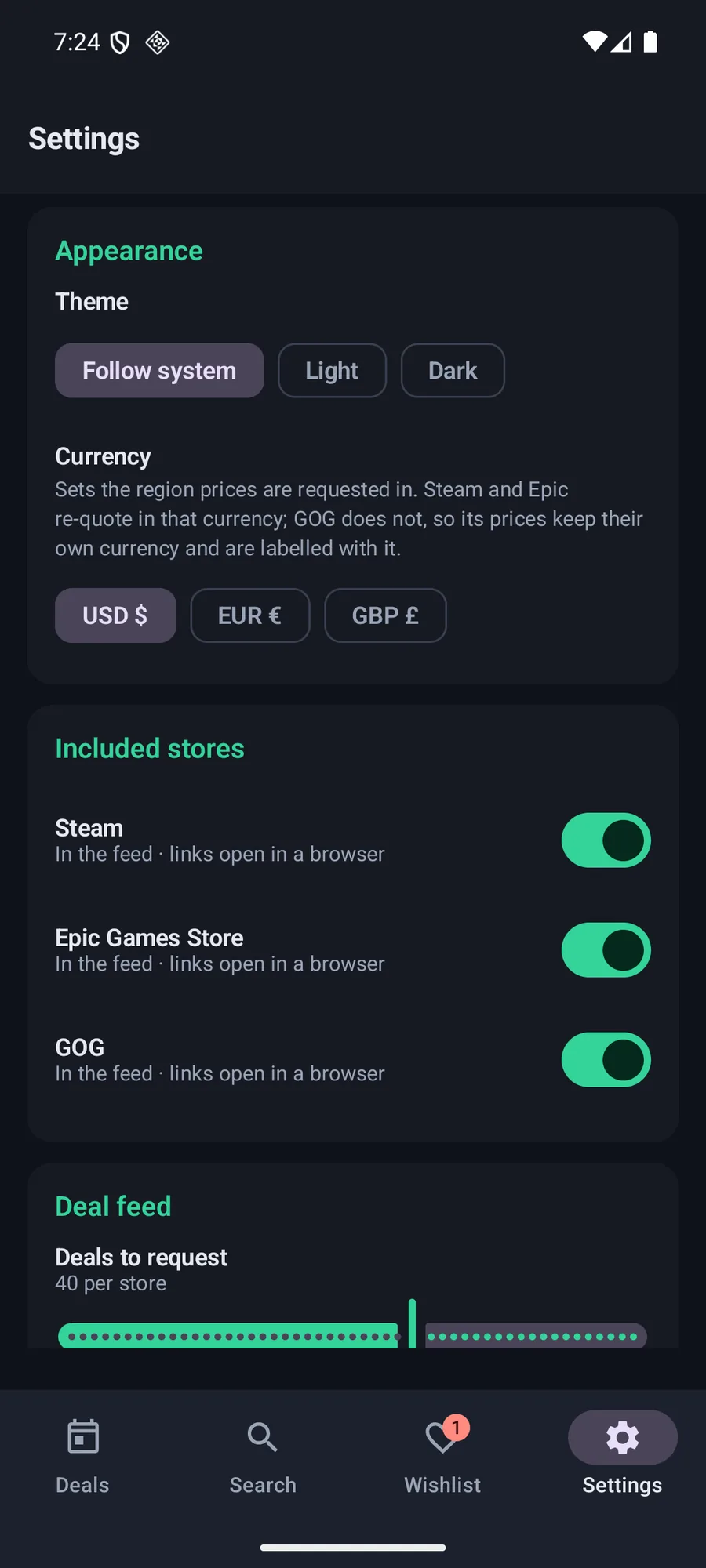
No account, no tracking, no analytics and no API keys — everything the app caches lives on the device. The Settings screen shows which stores are in the feed, the currency the region prices are requested in, and how many deals to request per store.

  • Theme follows the system, edge to edge
  • Choose the currency the region prices are requested in
  • Switch individual stores in or out of the feed
  • Built-in Diagnostics → Export logs for bug reports
The Discount Hunter settings screen with theme, currency and included stores.

How it is used

A short path from open to done.

  1. 01

    Open the feed

    Every discount from Steam, GOG and the Epic Games Store, already merged and sorted, with free games on top.

  2. 02

    Narrow it down

    Filter by store, by discount depth or by title, and sort by biggest discount or lowest price.

  3. 03

    Compare the offers

    Open a game to see the price in every store that has it, plus the screenshots, trailers and system requirements.

  4. 04

    Save it and wait

    Add the game to the wishlist. When it goes on sale — or becomes free to keep — you are told, even with the app closed.

At a glance

The details, up front.

Platform
Android 7.0+ (API 24), portrait
Latest release
v1.1.2
Package size
≈ 3 MB
Licence
Apache 2.0
Stores
Steam · GOG · Epic Games Store
Network
Only the store APIs the app reads

Built with

  • Kotlin 2.2
  • Jetpack Compose
  • Material 3
  • DataStore
  • AlarmManager + WorkManager

Privacy & offline

What leaves your device.

Nothing here is a marketing promise — it is what the application is built to do.

  • No account, no tracking, no analytics and no API keys.
  • Everything the app caches lives on the device.
  • The background deal check is the only recurring network work, and it only announces changes.
  • Game titles, cover art and store data belong to their respective owners and are displayed as each store’s public API returns them.
Read the source and the licence

Get Discount Hunter

Try it on your own device.

The latest build is published on GitHub Releases with a checksum file next to it. The source is public, and the whole thing is free of accounts, adverts and trackers.