


All apps

Calculator Suite

Sixty-six calculators, one Android app.

A fast everyday keypad, a full calculus workbench, an electrical circuit editor that works out the circuits you draw, and an AI that reads a photograph of a problem. Every tool computes for real and shows its working rather than a bare number.

Platform
Android 8.0+ (API 26)
Release
v3.0.3
Licence
PolyForm Noncommercial 1.0.0
Size
≈ 14 MB APK
The Calculator Suite home screen with the everyday keypad, the search field and the tool categories.

Why it exists

A calculator app on a phone does one thing. A second-year module needs sixty-six.

Calculator Suite exists because a single keypad cannot carry a whole syllabus. Every tool in it performs a real computation with the mathematics that suits the problem — exact arithmetic where exact arithmetic is possible, an honest approximation with its method named where it is not — and every tool shows its working instead of a bare number.

  • Students

    Algebra, geometry, calculus, statistics and finance, with the formulas written out next to the answer.

  • Engineers and technicians

    A circuit editor that solves the network you drew, plus eleven electrical calculators for the rest.

  • Anyone with a calculator app and a grudge

    No adverts, no sign-up, no telemetry, and no network round trip unless you ask for one.

What it does

The parts that actually matter.

Every screen below is the released application. The numbers, the tools and the behaviour described are the ones you will find in the build.

01 — Everyday

A keypad that keeps up with your typing

The landing screen is a calculator you can actually use: type on the keypad and the result previews live, with four memory keys and an optional full-screen expansion. Above it sits a search field that finds any of the sixty-six tools by the words people actually use — “mortgage”, “kcal”, “octal”, “tip”.

  • Live preview as you type, committed to history with =
  • Four memory keys and an optional full-screen expansion
  • Search across every tool by name or by everyday wording
  • Categories for algebra, geometry, converters, finance, health, dates, circuits, calculus and advanced mathematics
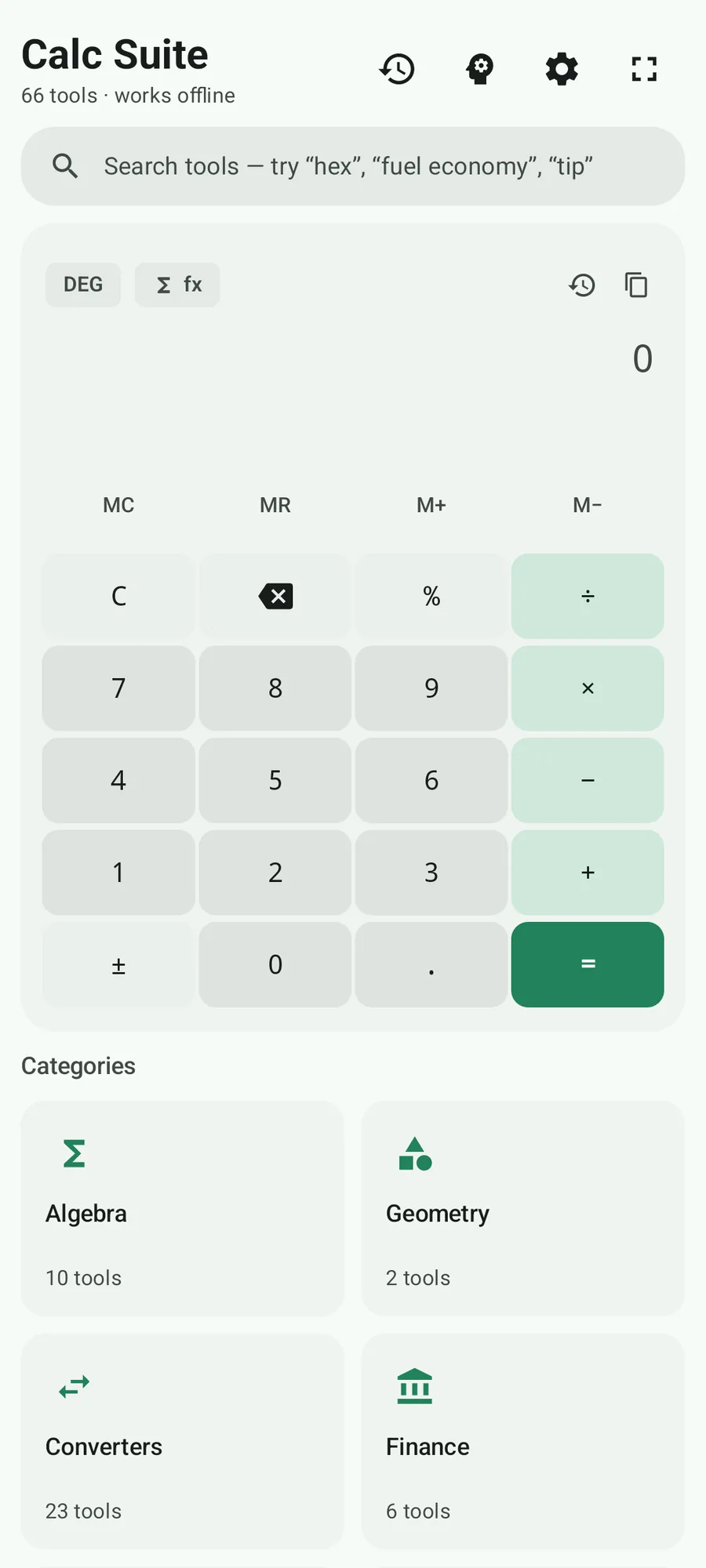
The Calculator Suite home screen with the everyday keypad, search field and tool categories.

02 — Scientific

Trig, logs, powers — and the reference panels that match the keypad

The scientific calculator adds the whole function keypad: trigonometric functions in DEG, RAD or GRAD, natural and base-10 logarithms, powers, factorials, modulus and the full memory set. The collapsible reference panels are laid out to match the keypad exactly, so nothing is hidden in a menu you have to hunt for.

  • DEG / RAD / GRAD, switchable and visible at all times
  • sin, cos, tan, ln, log, √, x², xʸ, x⁻¹, n! and mod
  • Four memory keys
  • Collapsible reference panels that mirror the keypad layout
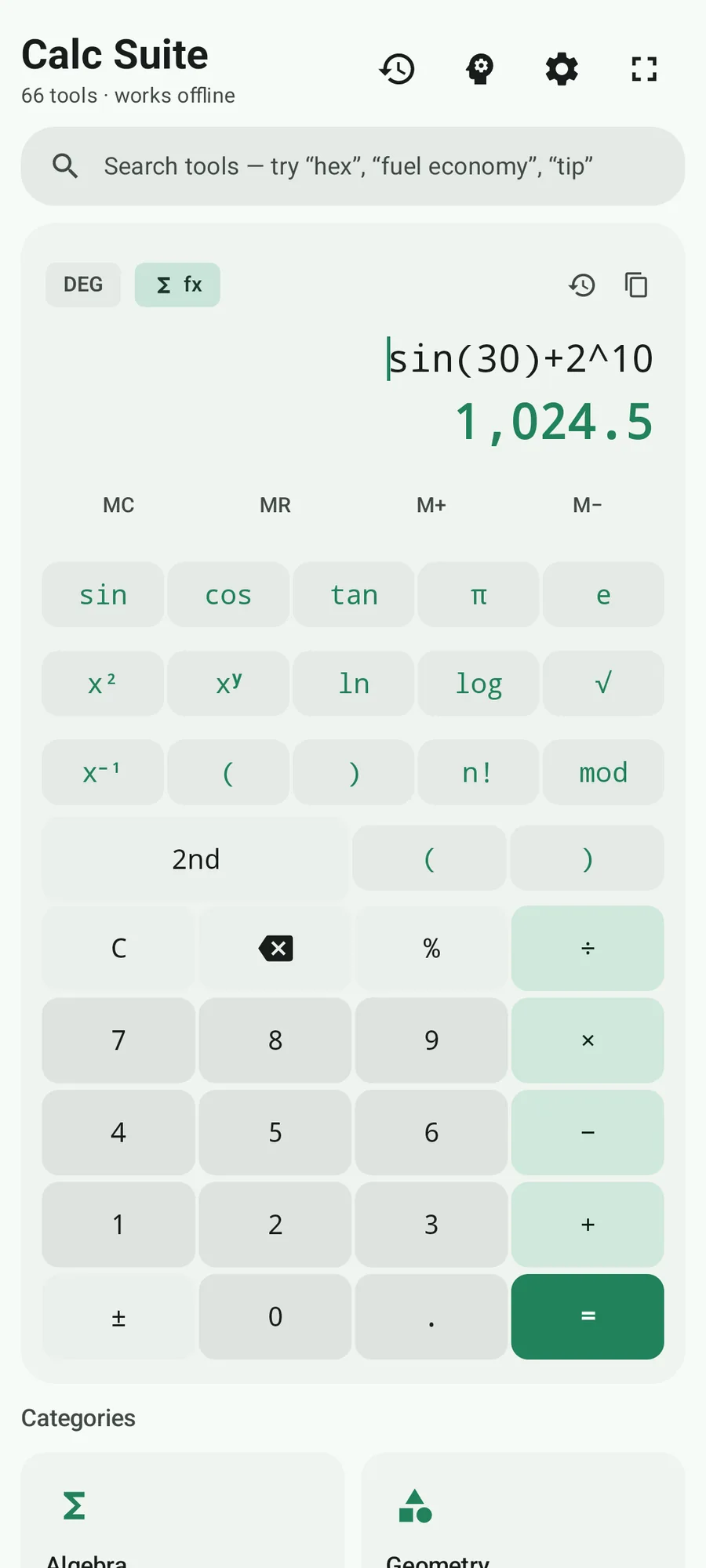
The Calculator Suite scientific calculator showing sin(30) + 2^10 evaluated as 1,024.5.

03 — Calculus

Fourteen focused tools, and a graph that shows its working

The calculus workbench is not one generic solver. Derivatives, integrals, limits, Taylor and Maclaurin series, summations and products, infinite series, roots, extrema, an interactive function graph, differential equations, multivariable calculus, Fourier analysis, complex analysis and partial differential equations each get their own tool.

  • Derivatives, definite integrals, limits, Taylor/Maclaurin
  • Σ and Π notation, infinite series, roots and extrema
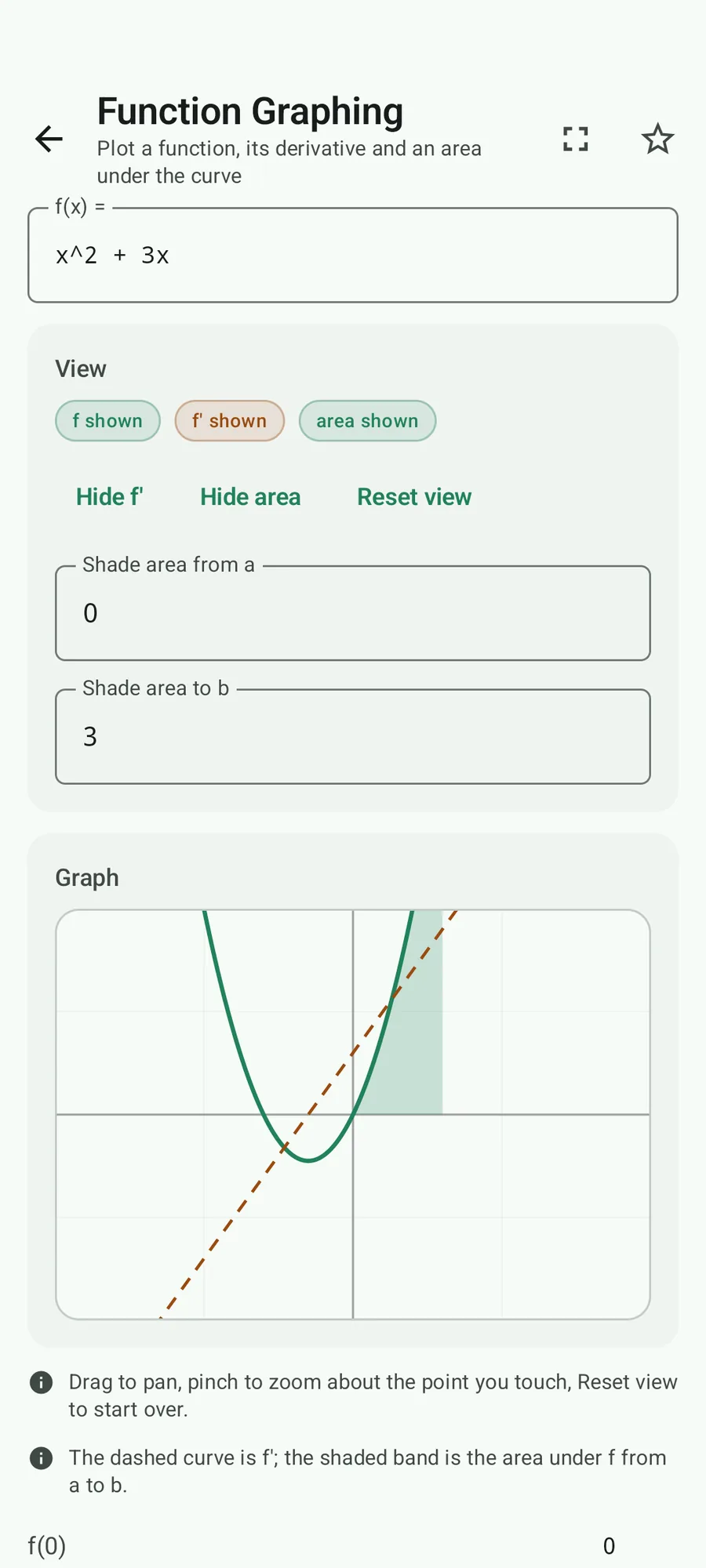
  • An interactive graph with pan, pinch-zoom, an optional f′ layer and a shaded area under the curve
  • Differential equations solved symbolically or numerically, and graphed
  • Multivariable calculus, Fourier analysis, complex analysis and PDEs
The Calculator Suite function graphing tool plotting a quadratic with its derivative as a dashed curve and the area under the curve shaded.

04 — Electrical circuits

Draw a circuit; the app works out the circuit

Place resistors, sources, switches and a ground on the canvas, wire them together, and press Calculate. The app solves the network by nodal analysis and shows the voltage, current and power of every part, with the working. Eleven electrical calculators come with it, for when you only need Ohm’s law.

  • A canvas editor with resistors, voltage and current sources, switches and ground
  • Solved by nodal analysis, with the equations shown
  • Voltage, current and power for every part in the circuit
  • Six example circuits, from a battery and a resistor to a voltage divider
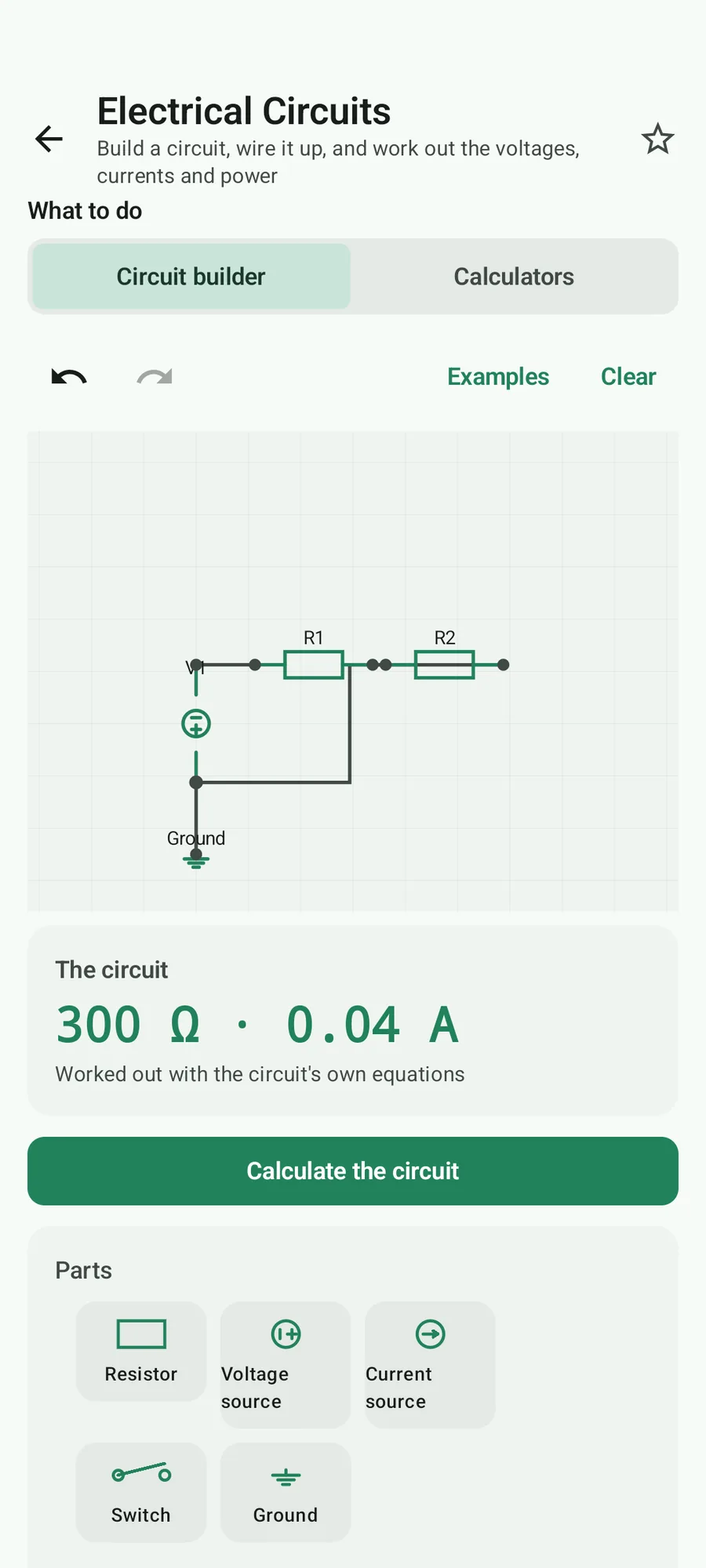
The Calculator Suite circuit builder with a solved two-resistor network showing 300 ohms and 0.04 amps.

05 — The rest of the toolkit

Twenty-three converters and a finance section that does real work

Length, area, volume, mass, temperature, pressure, energy, power, force, torque, speed, acceleration, time, angle, data storage and transfer, flow, fuel economy, numeric bases, Roman numerals, cooking measures, ring sizes and shoe sizes. Six finance tools: currency with live reference rates and an offline cache, loan amortisation, compound interest with EAR, sales tax, tips with cent allocation and unit-price comparison.

  • 23 converters, from length and mass to ring sizes
  • 6 finance tools, including a loan amortisation schedule
  • 3 health tools: BMI, caloric burn from MET values and a Navy body-fat estimate
  • 3 date and time tools: exact age, date arithmetic and time intervals
  • 10 algebra tools, 2 geometry tools and 3 advanced-mathematics tools (measure theory, a topology explorer and functional analysis)
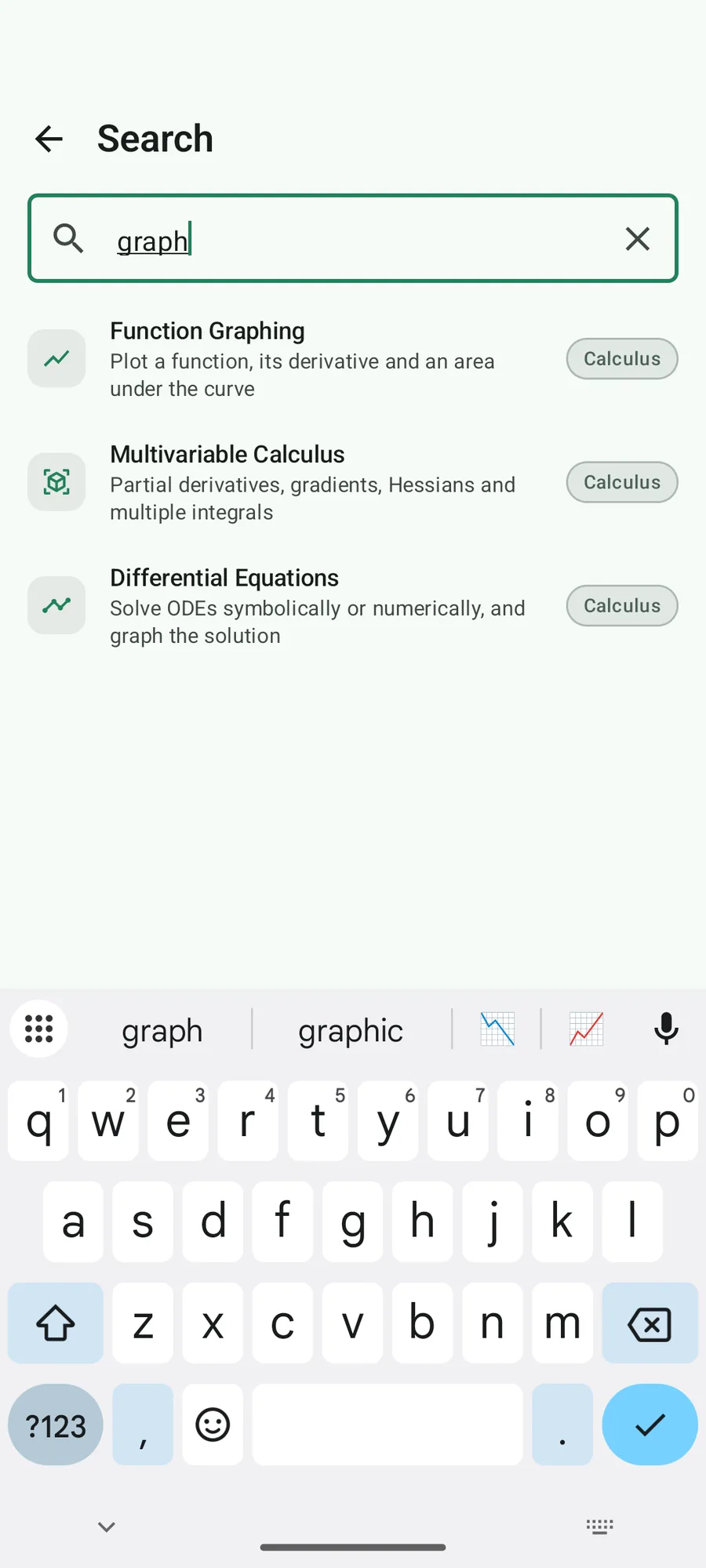
Calculator Suite search results listing the calculus tools.

06 — Exact, or honest about it

Exact where it can be, honest where it cannot

Where the mathematics allows it, the answer is exact: money and general decimals use BigDecimal with a 34-significant-digit evaluation context, and integer maths — factorials, GCD and LCM, primes, permutations — uses BigInteger. Where it does not, the result is prefixed with ≈ and the method is named: adaptive Simpson for definite integrals, RK4 for differential equations, bisection for root scans.

  • 34-significant-digit evaluation context
  • Display rounding happens only at the very end, at 3–15 significant digits
  • Numerical results carry ≈ and the name of the method that produced them
  • Every result card can copy a full-precision value or push the calculation into history
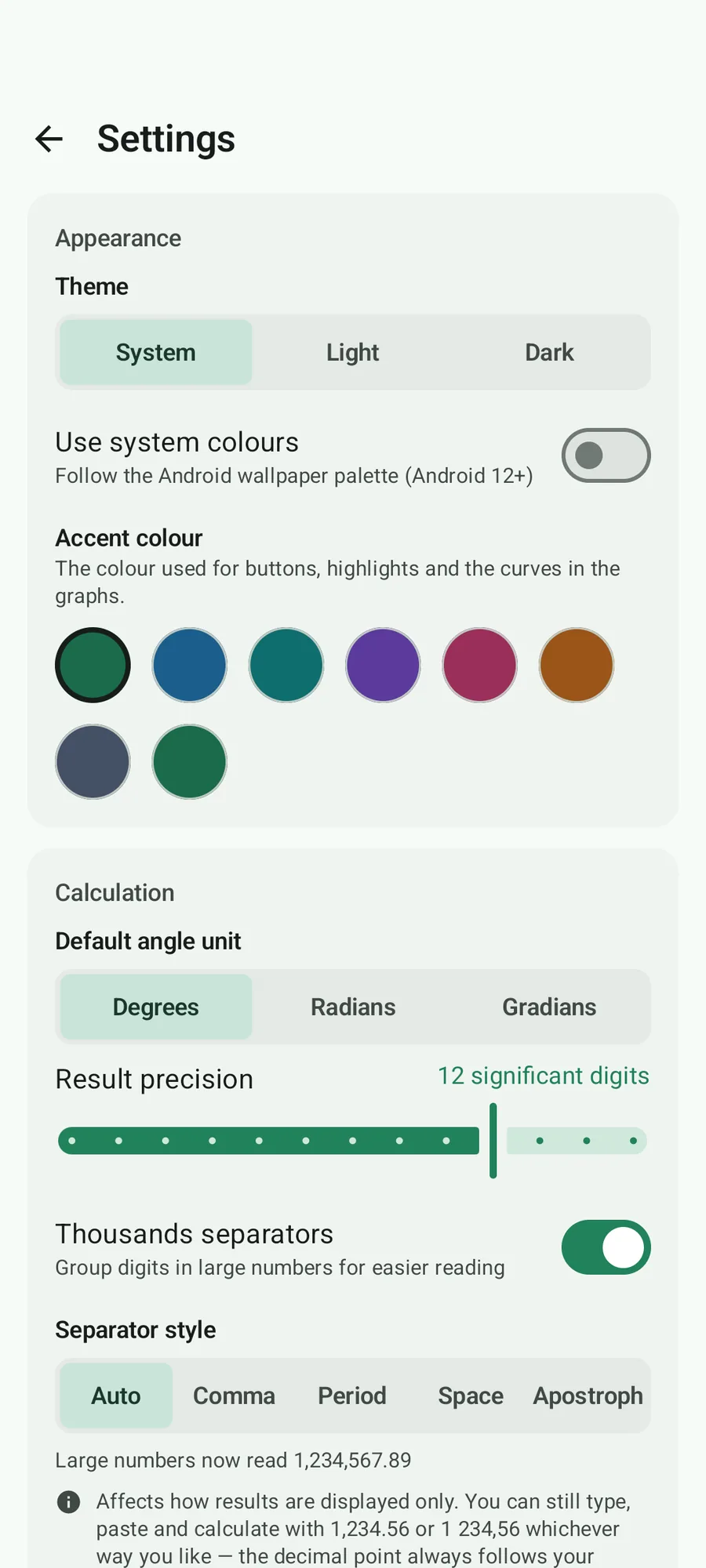
Calculator Suite settings showing theme, accent colour, angle unit, result precision and thousands separators.

How it is used

A short path from open to done.

  1. 01

    Type it

    The keypad previews the result as you type. Press = to commit it to the history.

  2. 02

    Find the tool

    Search by name or by the word you would use — “tip”, “hex”, “mortgage” — or browse a category card.

  3. 03

    Work the problem

    Most tools recompute live; the rest have an explicit Calculate button. Every tool has a Reset action that restores its defaults.

  4. 04

    Take the answer

    Copy a full-precision value or push the calculation into the local history. Nothing leaves the device.

At a glance

The details, up front.

Platform
Android 8.0+ (API 26)
Latest release
v3.0.3
Package size
≈ 14 MB
Licence
PolyForm Noncommercial 1.0.0
Arithmetic
BigDecimal (34-digit context) and BigInteger
Network
Two opt-in features; everything else is offline

Built with

  • Kotlin 2.2
  • Jetpack Compose
  • Material 3
  • BigDecimal / BigInteger
  • DataStore

Privacy & offline

What leaves your device.

Nothing here is a marketing promise — it is what the application is built to do.

  • No analytics, no advertising, no tracking SDK and no account.
  • Every tool works with the device in aeroplane mode.
  • The currency converter is the only routine network call, and it caches rates locally.
  • The AI problem solver is off until you configure a provider and press the button.
  • Your API key is kept by the phone’s own keystore, encrypted, and never written in plain text.
Read the source and the licence

Get Calculator Suite

Try it on your own device.

The latest build is published on GitHub Releases with a checksum file next to it. The source is public, and the whole thing is free of accounts, adverts and trackers.